
How to Migrate WordPress to Static HTML: The Complete Guide
A step-by-step guide to migrating your vulnerable WordPress site to a secure, lightning-fast static HTML build.

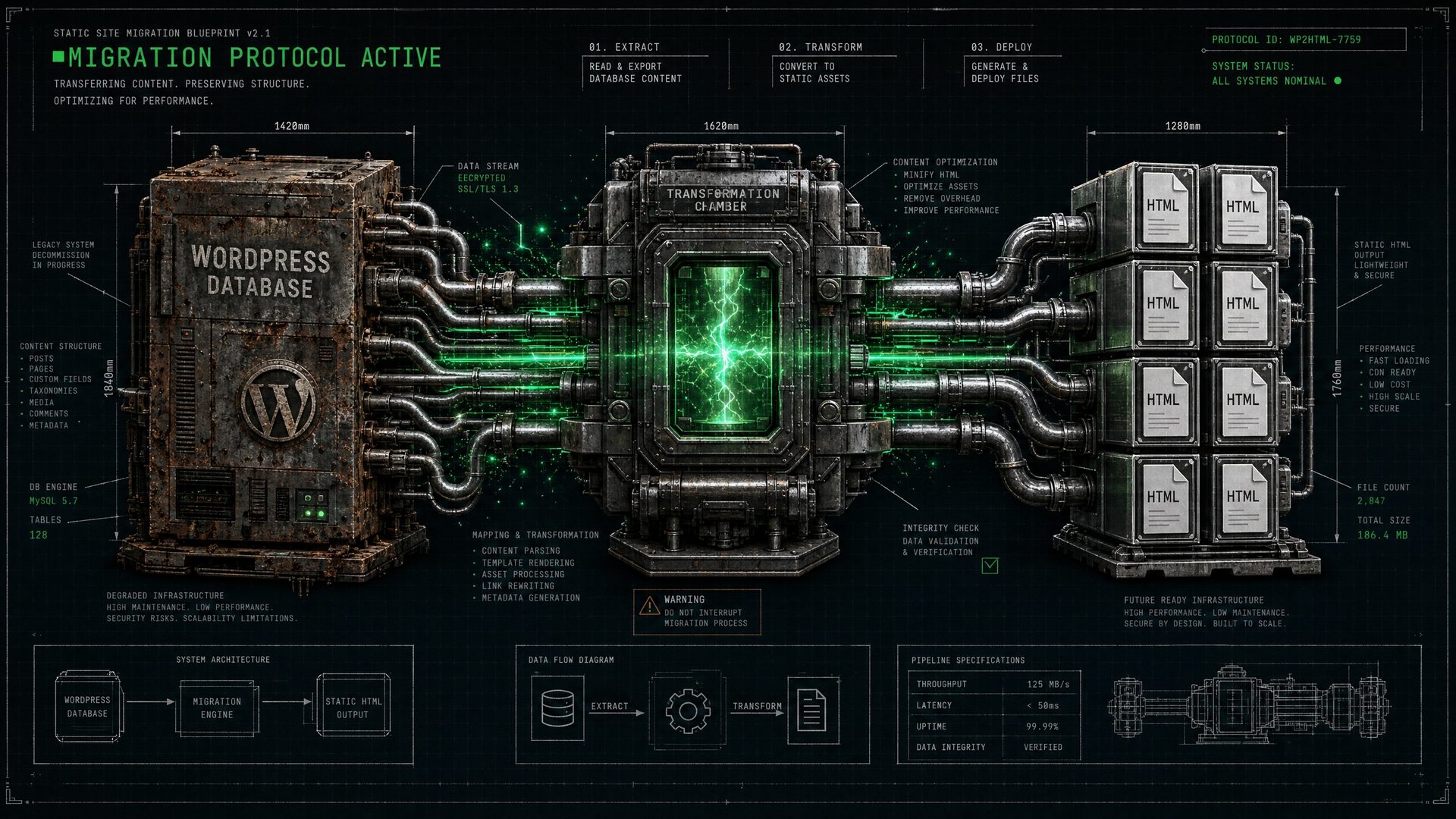
The Migration Imperative
If you are running a business on WordPress, you are managing a liability. The constant updates, the security vulnerabilities, and the performance bottlenecks are draining resources. The solution is to migrate WordPress to static HTML.
This isn't just a technical upgrade; it's a strategic move to secure your digital sovereignty. By converting dynamic PHP pages into pre-rendered HTML, you eliminate the attack surface and guarantee sub-500ms load times.
The 5-Step Migration Process
1. Content Extraction
We use the WordPress REST API or GraphQL to extract all your posts, pages, images, and metadata. This separates your valuable content from the bloated WordPress database.
2. Headless CMS Integration
Your extracted content is migrated into a modern Headless CMS (like Sanity or Contentful). This gives your team a clean, secure interface to manage content without the risks of a traditional CMS.
3. Frontend Rebuild (Next.js)
We rebuild your site's frontend using Next.js and React. This ensures a clean DOM, perfect semantic HTML, and full integration of the FIF Protocol schema stack.
4. Static Generation
The Next.js application pulls the content from the Headless CMS and pre-renders every page as static HTML. There is no database to query when a user visits the site.
5. Edge Deployment
The static files are deployed to an edge network like Cloudflare Pages. Your site is now served instantly from servers closest to your users, worldwide.
The Impact of Migration
The Real Cost of Staying on WordPress
Before we discuss migration, it is worth quantifying the cost of inaction. The average WordPress site experiences a security incident every 39 seconds according to Sucuri's annual hacked website report. Plugin vulnerabilities account for 56% of all WordPress hacks, and the average cost of a security breach for a small business exceeds $25,000 in lost revenue, remediation, and reputation damage.
Beyond security, the performance cost is equally damaging. A WordPress site with a standard plugin stack (Yoast, WooCommerce, Contact Form 7, caching plugins) typically loads in 2.4–4.1 seconds. Google's own research shows that 53% of mobile users abandon a site that takes longer than 3 seconds to load. Every second of delay costs approximately 7% in conversions.
Static HTML eliminates both problems at the root. There is no server-side processing, no database queries, and no plugin stack to maintain. The result is a site that loads in under 500ms and has a zero-vulnerability attack surface.
The 7-Stage Migration Process
Migrating from WordPress to static HTML is not simply a copy-paste operation. It is a structured infrastructure project that requires careful planning to preserve SEO equity, replicate functionality, and ensure zero downtime. Here is the exact process used in every LinkDaddy Sovereign Build migration.
WordPress vs. Static HTML: Full Comparison
| Metric | WordPress | Static HTML (Cloudflare) |
|---|---|---|
| Time to First Byte (TTFB) | 300–800ms | <50ms |
| Largest Contentful Paint (LCP) | 2.4–4.1s | <500ms |
| Security Vulnerabilities | Constant (plugins, PHP, DB) | Zero (no server-side code) |
| Monthly Maintenance Hours | 4–8 hours | 0 hours |
| Hosting Cost | $50–$500/mo (managed WP) | $0 (Cloudflare Pages free tier) |
| AI Crawlability | Poor (bloated DOM) | Excellent (clean semantic HTML) |
| Core Web Vitals Score | Often Needs Improvement | Consistently Good/Excellent |
SEO Equity Preservation During Migration
The most common concern about migrating from WordPress is losing hard-earned SEO rankings. This is a legitimate concern — but it is entirely preventable with the right process. The key is treating the migration as a URL equity transfer, not a site rebuild.
Every page that has earned backlinks, traffic, or ranking positions must be preserved at the exact same URL. Where URL changes are unavoidable, 301 redirects must be implemented at the Cloudflare edge level — not in a plugin — to ensure instant, zero-latency redirects that pass full link equity.
The performance improvements from the migration will, in most cases, produce a net positive ranking effect within 60–90 days. Google's Core Web Vitals are a direct ranking factor, and moving from a 3-second WordPress load time to a sub-500ms static build is a significant signal improvement.
The LinkDaddy Migration Guarantee
At LinkDaddy, we do not view migration as a simple technical task; we view it as an infrastructure upgrade. When we migrate your site from WordPress to a Sovereign HTML Build, we guarantee three things:
1. Zero Downtime: The migration happens entirely in a staging environment. Your live WordPress site remains active until the exact moment we update the DNS records to point to the new Cloudflare edge network. The switch is instantaneous.
2. Perfect URL Parity: We map every single URL on your existing site. If a URL must change, we implement a permanent 301 redirect at the edge level. You will not lose a single backlink or drop a single ranking position due to broken links.
3. Sub-500ms Performance: We guarantee that your new Sovereign HTML Build will load in under 500 milliseconds globally, passing all Google Core Web Vitals assessments with perfect scores.
The Post-Migration Reality
Once the migration is complete, the day-to-day management of your website changes fundamentally. You will no longer log into a vulnerable `wp-admin` dashboard. Instead, your team will log into a secure, decoupled Headless CMS (like Sanity).
You will no longer receive frantic emails about critical plugin updates or database connection errors. The anxiety of managing a monolithic application is replaced by the peace of mind that comes with owning a static, immutable digital asset.
Frequently Asked Questions
How long does a migration take?
A standard migration takes 2-4 weeks, depending on the size of the site and the complexity of the custom functionality required.
What happens to my forms and contact pages?
We replace vulnerable WordPress form plugins with secure, serverless form handlers (like Formspree or Netlify Forms) that integrate seamlessly with static HTML.
Will my URLs change?
No. We meticulously map your existing URL structure to ensure zero broken links. Any necessary changes are handled with strict 301 redirects.
Can I still have a blog?
Yes. The Headless CMS provides a perfect environment for managing blog posts, which are then statically generated just like the rest of the site.
Is this better for SEO?
Significantly. The massive improvement in Core Web Vitals (speed, stability) is a direct ranking factor, and the clean code is easier for search engines to crawl.
Ready to Leave WordPress Behind?
Secure your digital assets and achieve ultimate performance with a Sovereign HTML Build.
Start Your Migration